

Case study
LaneTalk
Frontend work across live scoring, admin, ticketing, payment flows, and app-adjacent workflows.
LaneTalk brings scoring, leagues, tournaments, ticketing, and center operations into one product. I have worked directly on its frontend since August 2019 and have held lead frontend responsibility since 2023.
- Role
- Frontend engineer, Lead frontend responsibility since 2023
- Period
- August 2019-Present
- Scope
- Direct frontend work across public live scoring, league and center admin, ticketing and checkout, app-adjacent flows, and shared interface standards. Lead frontend responsibility since 2023.
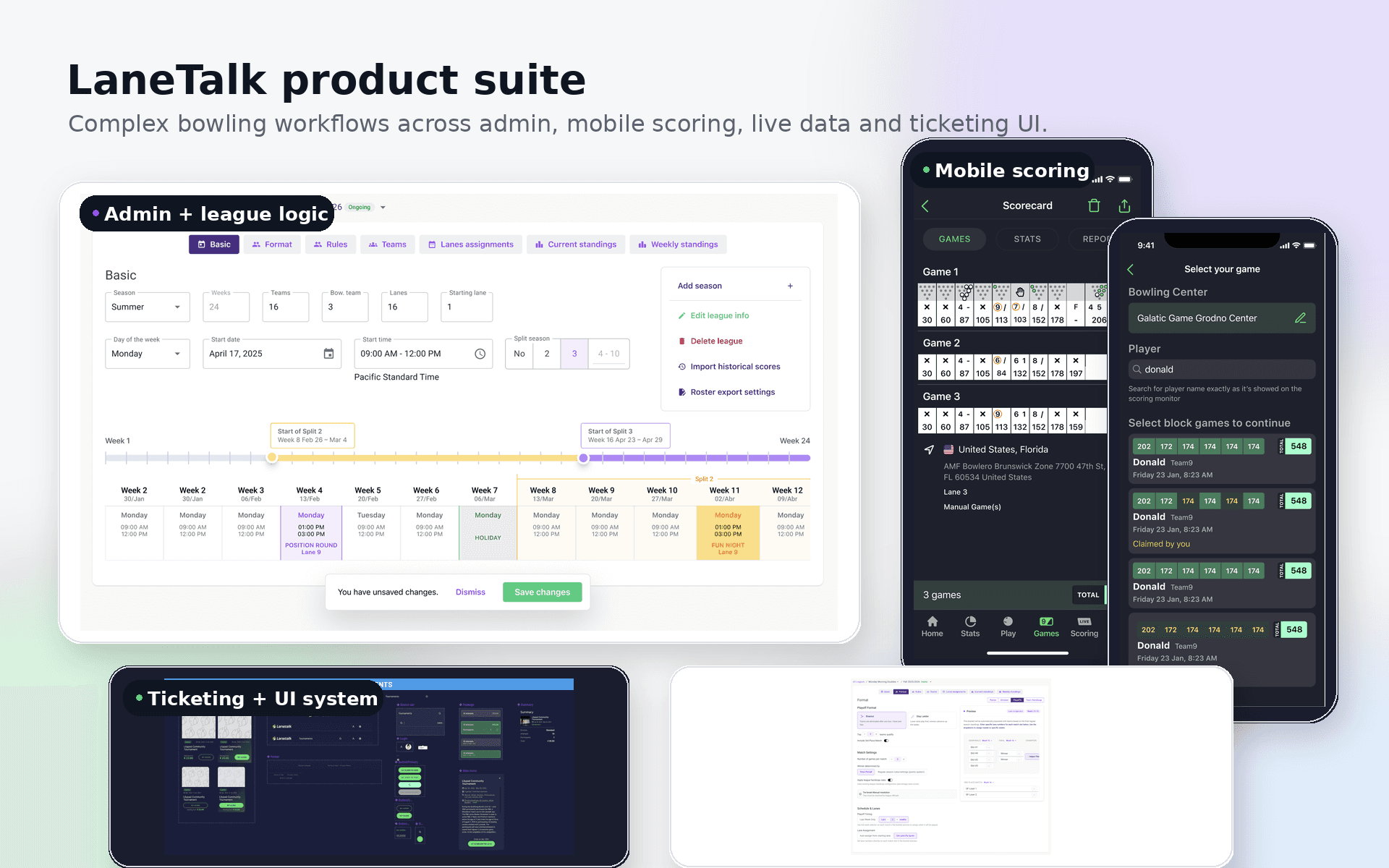
Connected surfaces
LaneTalk was not one screen. It was several product surfaces serving different jobs.
The diagram stays at product level: public scoring, venue display tools, leaderboards, admin workflows, and shared client-side live scoring tooling.
Users
Players and spectators
Follow games, scores, standings, and results.
Bowling center staff
Operate displays, lanes, leagues, and center flows.
Internal ops and admins
Manage settings, tournaments, and operational views.
Product surfaces
Public live scoring web
Readable score updates for people following active games.
In-center display customization
Venue-facing display and score presentation tools.
Tournament and match leaderboard
Competition context for standings, matches, and results.
Admin and operations surface
League, center, tournament, and operational workflows.
Shared layer
Shared WebSocket client tooling
Client-side live scoring integration used by multiple web surfaces.
Long-running product work
Frontend responsibility across the bowling product
I have worked directly on LaneTalk since August 2019 and have held lead frontend responsibility since 2023.
The work spans public live scoring, bowler and bowling-center pages, league and tournament administration, app-adjacent workflows, ticketing, and checkout.
Those surfaces serve different people, but they share the same bowling data. I work with product, backend, and mobile developers to decide what belongs in each interface and how changes should carry across the product.
- Public live scores and bowler pages
- Bowling-center, league, and tournament administration
- App-adjacent workflows
- Ticketing and checkout
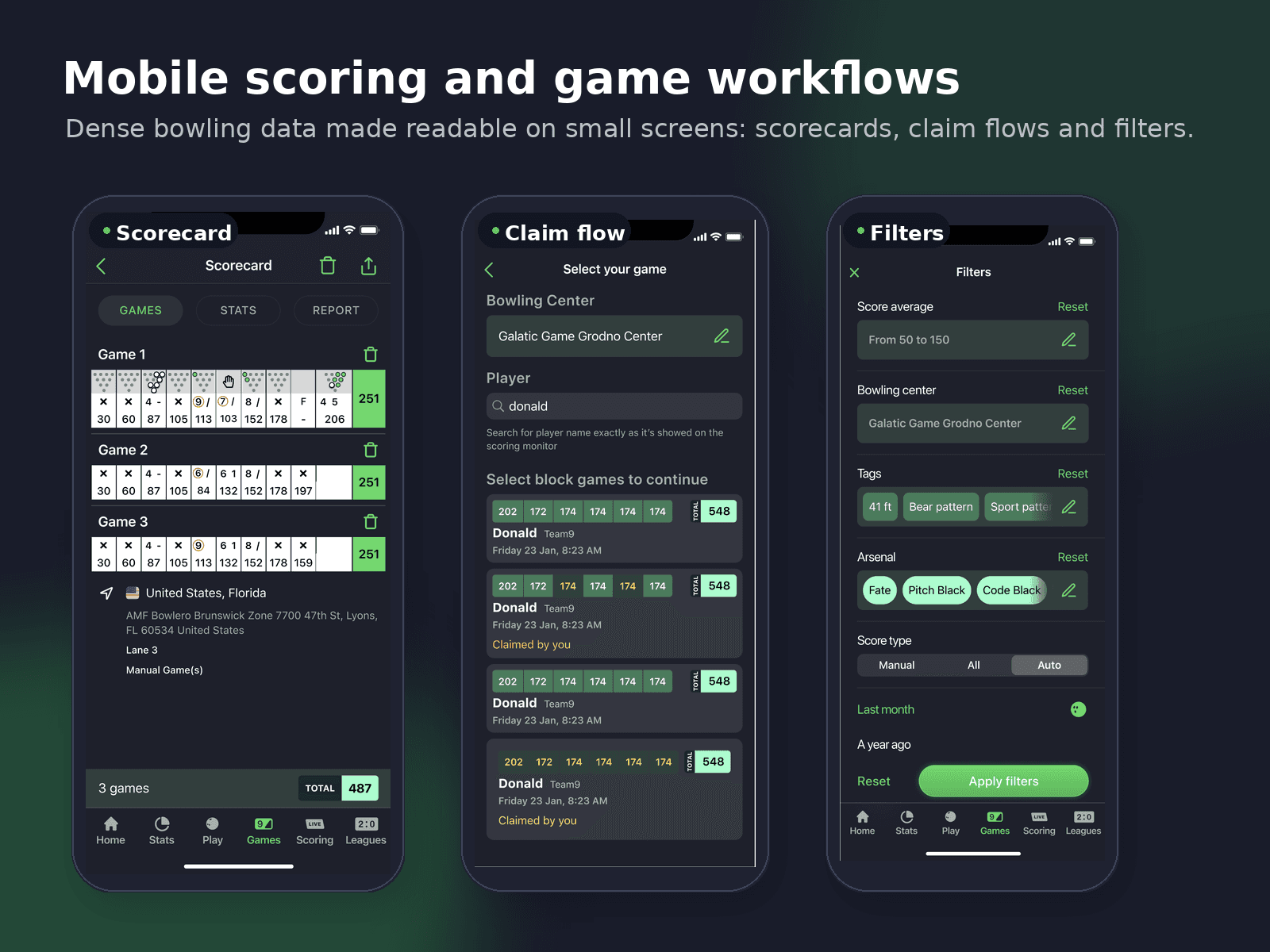
Live score continuity
Let scores change without making viewers lose their place
Frames, pin state, lane data, standings, and game status can all change while someone is reading the page. A live update should add information without resetting the view, shifting the hierarchy, or making the reader search for the game again.
I treated continuity as part of the scoring interface: keep the scorecard stable, update data in place, and make delayed, missing, or reconnecting states understandable. Public score pages stay easy to follow while bowler views can expose more detail.
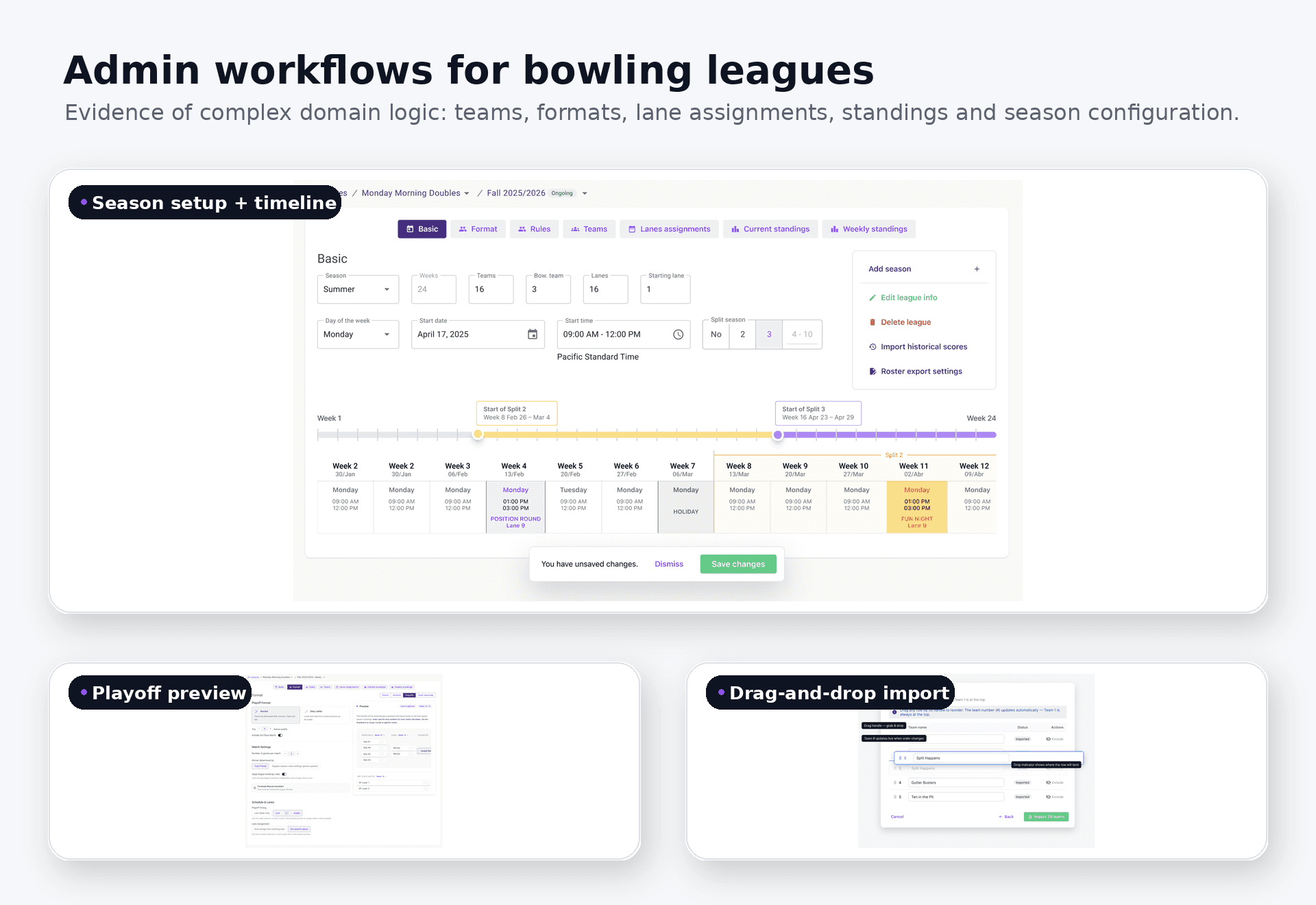
Bowling operations
Admin tools have to follow bowling logic
League and tournament setup includes schedules, teams, lane assignments, imports, ordering, playoff previews, and edits that may not be saved yet. These are not generic forms: the interface has to reflect the rules and consequences of bowling operations.
Public bowler and bowling-center pages need a different reading order, but they depend on the same domain truth. I made previews, partial data, long names, unresolved changes, and destructive actions visible before they affected a schedule or bracket.
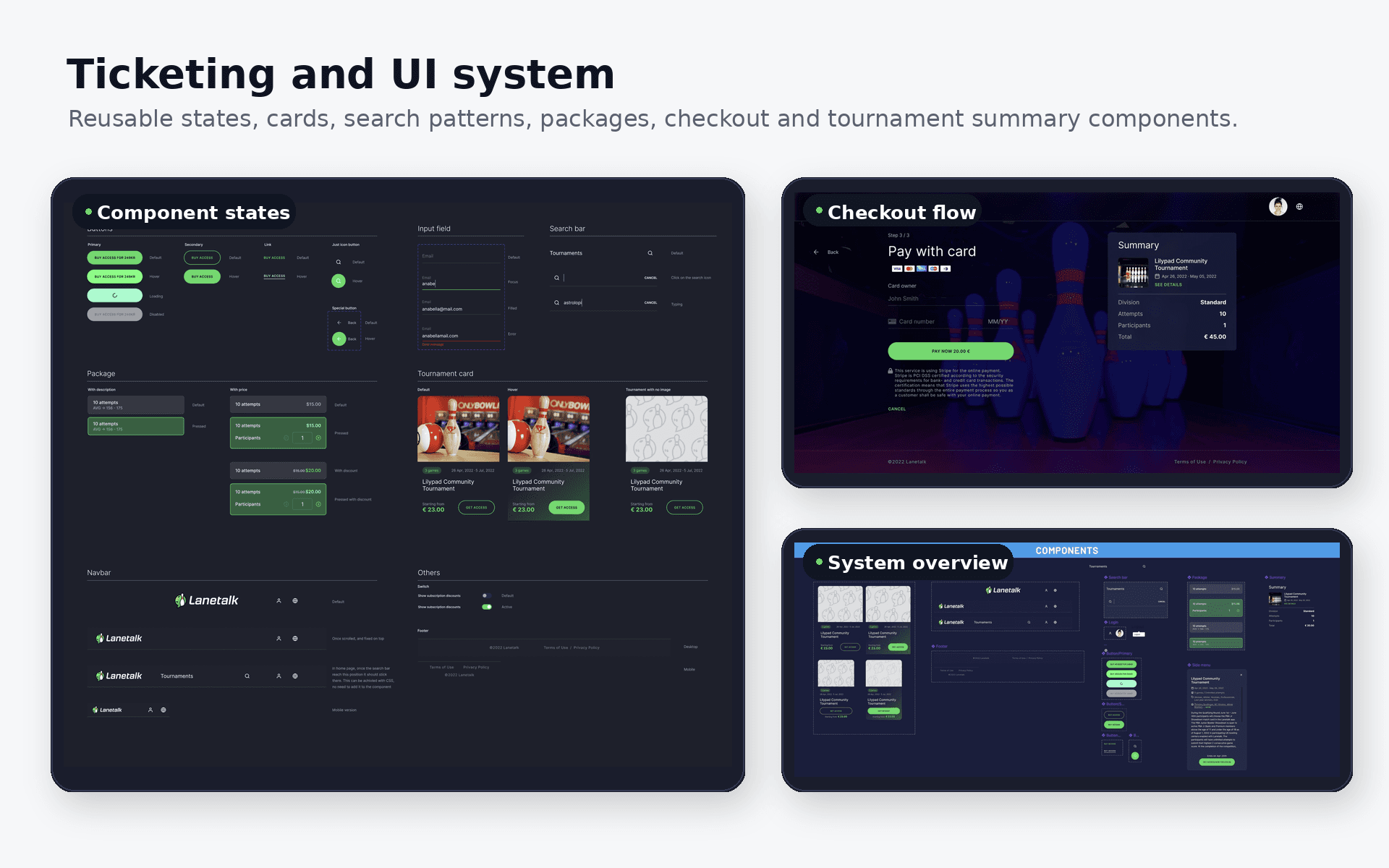
Shared behavior
Share state patterns, not identical layouts
WebSockets carry score changes into views designed to preserve context. During the Angular-to-React migration, I used that behavior as the stable boundary: components could change without changing what an update meant to the person following a game.
Admin tools reuse state patterns for loading, imports, previews, validation, and unsaved changes while keeping their own operational layouts. Ticketing and checkout apply the same clarity to selection, payment loading, success, failure, and return states. Keyboard use, responsive behavior, accessibility, and regression testing are checked against those real states.
- Keep live updates in place so the scorecard remains readable.
- Preview admin changes before they affect bowling operations.
- Make transactional handoffs and payment states explicit.
- Reuse behavior only when the surrounding job is still clear.
Product continuity
Stay with the product after release
The clearest result is continuity across surfaces: live score changes remain readable, admin choices can be previewed before they affect schedules or brackets, and checkout states make the next action explicit. Those patterns continue to guide new and migrated interfaces.
I still work on LaneTalk, responding to production behavior and using those lessons in later decisions. I would document the shared vocabulary for loading, offline, changed, imported, previewed, and unresolved states earlier so new work starts from the same product understanding.